Feel every fraction of a cent.
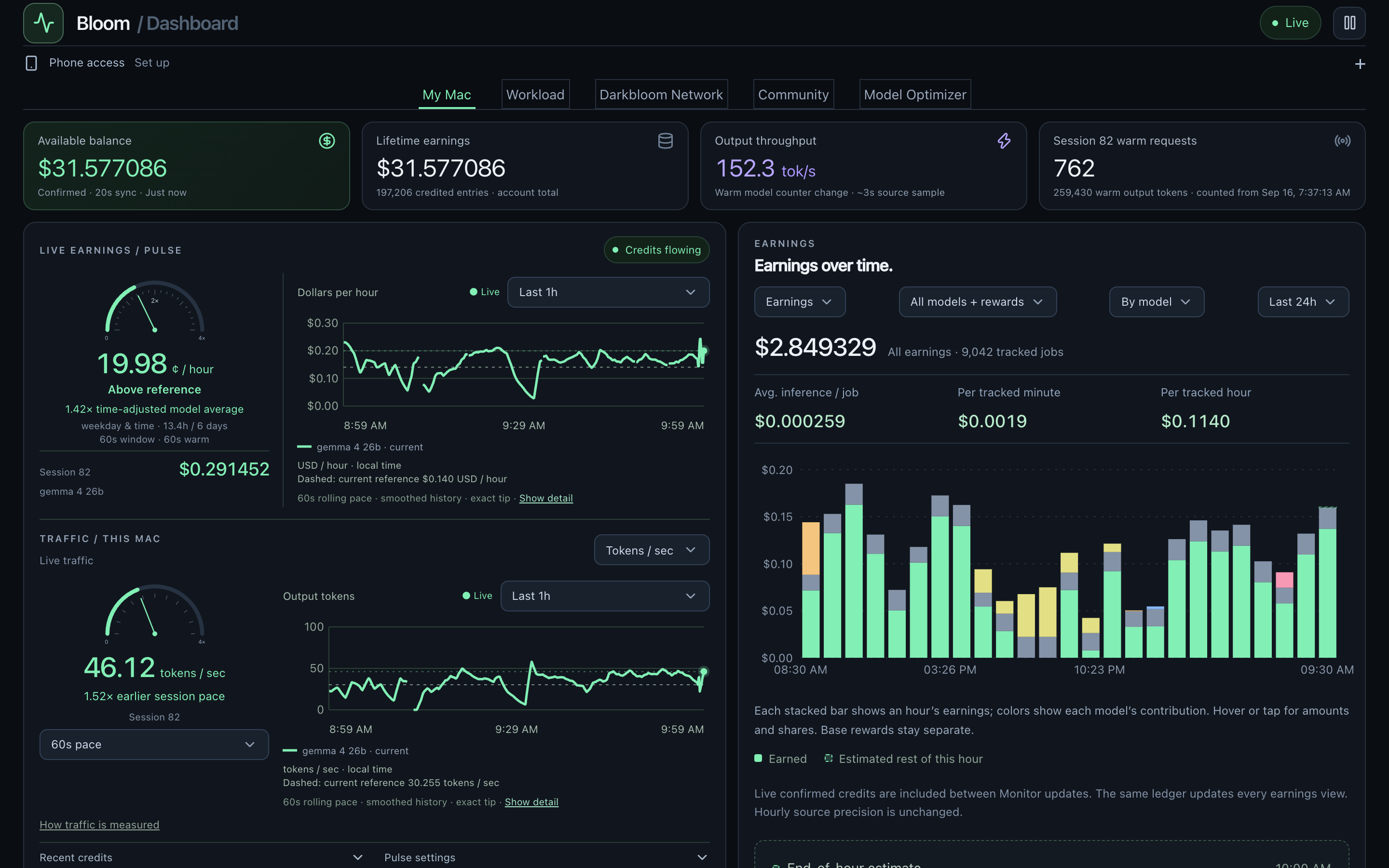
Live earnings and traffic pulses make the invisible work visible. Follow the pace now, then zoom out to the full story.
See what you’re earning. Understand what’s working. Let Bloom take care of the model watching.
Free dashboards · Optional Pro optimizer
SEE BLOOM IN ACTION
An 81-second walkthrough of live earnings, thoughtful model selection, and checking in from your phone.
I bought this Mac to explore Apple Silicon and AI. A weekend with Codex and Astra turned into Bloom: my own little earnings terminal.
Darkbloom puts my Mac to work serving AI models. These are real credits coming in, with a live earnings pulse and traffic charts.
The optimizer is the fun part. Think of a stock trading bot, but with AI models in its watchlist, deciding what this Mac should run.
It watches demand and warm-provider capacity across models. The goal is to spot sustained opportunities, without chasing every brief spike.
Then it checks what this Mac actually earns: dollars per hour, earnings per request, and yield per token. More traffic can still mean less money.
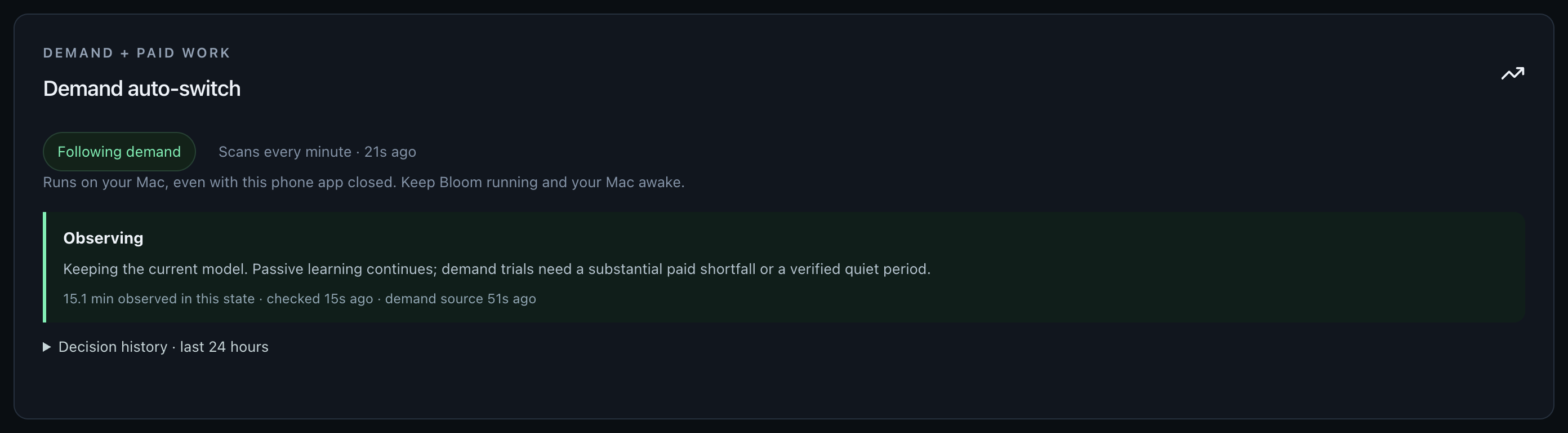
When the evidence supports it, Bloom can switch models, run bounded trials, and protect productive sessions. Every decision comes with a reason, including when it stays put.
CPU, GPU, memory, and temperatures are here too, with private phone access. I can follow the experiment without sitting at my desk.
Part dashboard, part automated lab, part cookie clicker. A fun way to explore AI, Apple Silicon, and what I can build in a weekend.
01 / THE DASHBOARD
Your earnings deserve more than a running total. See the pace, the patterns, and the models doing the work.
Live earnings and traffic pulses make the invisible work visible. Follow the pace now, then zoom out to the full story.
Compare daily earnings, filter by model, and explore earnings at different demand levels. Confirmed credits and projections stay distinct.
Check earnings and change models from your phone using your own Tailscale connection. Phone setup is optional. Keep an eye on hardware health, or bring up to five Macs into one view.
02 / THE OPTIMIZER
Demand changes. The busiest model isn’t always the one that pays your Mac best. Bloom watches the network and learns from your actual paid work.
See how it decidesA decision loop, built around your Mac
Look for sustained demand, alongside recent paid performance.
Compare relevant model history and test promising gaps with bounded trials.
Switch when the evidence qualifies. Keep productive work running. Record the result.
03 / THE VALUE
The goal is simple: make better use of the Mac you already own, with fewer hours spent watching charts and guessing which model to run.
Bloom makes that work easier to understand—and gives you the tools to measure whether automation is helping.
If an optimizer adds just one cent an hour, that’s $7.20 over 30 days of continuous operation.
A FEW GOOD QUESTIONS
BLOOM FOR MAC
Free reporting for your Darkbloom Mac.
An optional Pro optimizer when you want Bloom to take the wheel.
Starts in Observe mode. You choose when to enable automation.
Apple Silicon Mac
macOS 14 or later
Developer ID signed and notarized by Apple. Early beta for testing on your own Mac; broader hardware validation is underway.
ca0bea5c60dc39d9a3d0a00429fc57684109f6687cc1eb7986ebe37d7ab8cb01Open the Bloom disk image on your Mac.
Everything Bloom needs is included. No developer tools.
Follow setup, then explore your free dashboards.
Requires an existing Darkbloom provider and account. Darkbloom’s own hardware and model requirements still apply.
Start with reporting in Observe mode. When you are ready, choose Request optimizer trial in Bloom to prepare a Slack DM to copyfax. Free 14-day trial codes are approved manually. No card or automatic renewal.
Phone access is optional and currently uses your own Tailscale setup. Usage sharing is optional and off by default.